A Beginner's Step-by-Step Guide to Using Binance: Trade, Deposit, and Withdraw

Binance is one of the largest and most popular cryptocurrency exchanges in the world. If you are new to crypto trading, understanding how to use the Binance platform effectively is essential. This guide will walk you through the core functions, including account setup, deposits, spot trading, and withdrawals, so you can navigate the exchange with confidence.
First, you need to create a Binance account. Visit the official Binance website or download the mobile app. Click on "Register" and enter your email address or phone number. Create a strong password and complete the security verification. Binance requires identity verification (KYC) to unlock higher withdrawal limits and full trading features. You will need to upload a government-issued ID and complete a facial recognition check. This process usually takes a few minutes to a few hours.
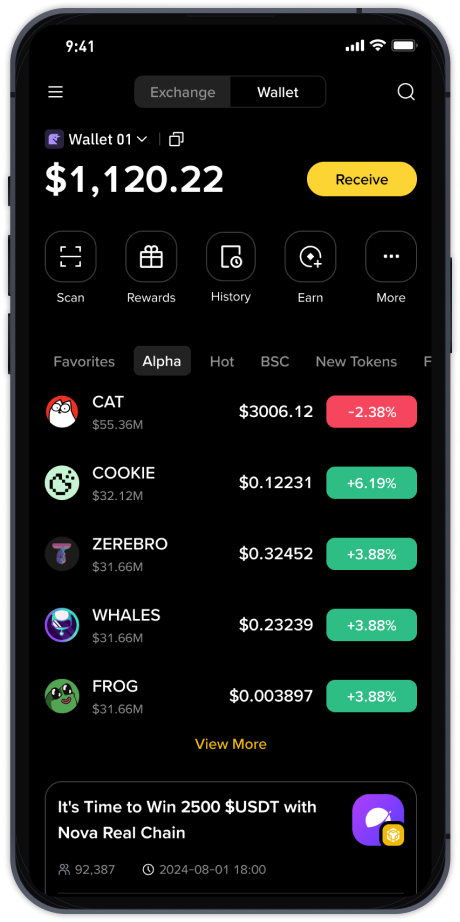
Once your account is verified, you need to deposit funds. Log in to your Binance account and navigate to the "Wallet" section, then select "Fiat and Spot." Click on "Deposit." You can deposit cryptocurrency or fiat currency (like USD, EUR, or GBP). If you are depositing cryptocurrency, select the coin (e.g., Bitcoin or USDT) and copy the deposit address. Send your funds from an external wallet to this address. For fiat deposits, choose your currency and preferred payment method (bank transfer, credit card, or P2P trading). Follow the on-screen instructions to complete the transfer.
Now you are ready to trade. Binance offers several trading interfaces, but "Spot" trading is the most common for beginners. Go to the "Trade" menu and select "Spot." You will see a trading screen with a price chart, order book, and order form. Choose the trading pair you want to use. For example, to buy Bitcoin with USDT, select the BTC/USDT pair. In the order form, you can place a "Market" order (buy immediately at the current market price) or a "Limit" order (set your own price and wait for it to be filled). Enter the amount you want to buy or the total value in USDT, then click "Buy BTC." Your order will execute instantly for market orders, or remain open for limit orders.
After making a profit or deciding to exit a trade, you need to sell your coins. The process is similar. In the same spot trading interface, switch the order from "Buy" to "Sell." Choose between a market or limit sell order, enter the amount, and click "Sell BTC." The funds (USDT or other quote currency) will be credited to your spot wallet immediately or when your limit order fills.
To withdraw funds from Binance, go to "Wallet" and then "Fiat and Spot." Click "Withdraw." Select the cryptocurrency or fiat currency you wish to withdraw. For crypto, enter the recipient's wallet address carefully. For fiat, choose your withdrawal method (e.g., bank account or PayPal). Double-check the network type (e.g., ERC20, BEP20) to ensure it matches the receiving platform. Confirm the withdrawal using your two-factor authentication (2FA) and email verification. Funds typically arrive within minutes for crypto or 1-5 business days for fiat.
Security is critical on Binance. Always enable two-factor authentication using Google Authenticator or SMS. Avoid clicking on phishing links and only use the official Binance website or app. Consider using Binance's "Whitelist" feature for withdrawal addresses to prevent unauthorized transfers. Also, do not share your API keys or private keys with anyone.
For advanced features, Binance offers futures trading, margin trading, staking, and savings products. However, beginners should stick to spot trading until they understand market dynamics and risk management. Binance also has a "Convert" feature for simple, one-click trades without the complexity of the order book. This is ideal for new users who want a quick and simple exchange.
If you run into issues, Binance provides a comprehensive Help Center, live chat support, and a community forum. You can also watch tutorial videos on their official YouTube channel. Remember that cryptocurrency trading involves risk. Never invest more than you can afford to lose, and consider using Binance's stop-loss and take-profit tools to manage your positions.
By following this guide, you can confidently use Binance to deposit, trade, and withdraw digital assets. Start with small amounts, practice using the testnet if available, and gradually explore the more advanced tools as your experience grows. Happy trading!